What I want to achieve
After successful IdP authentication with MS Entra ID (Azure AD), OTP is performed on the Keycloak.
This means if a user authenticated with MS Entra ID (Azure AD)
- is the first login, an OTP registration screen appears. → (a)
- is the second time or later login, an OTP input screen appears. → (b)
What I confirmed
-
(a) is successful with the settings below:
- First login flow override: first broker login
- Post login flow: None
-
(b) is successful with the settings below:
- First login flow override:
- Post login flow: OTP Form (Alternative)
Problem
The problem is that I cannot achieve (a) and (b) in the same settings.
Although the IdP authentication is successful, the below error occurred when first login.
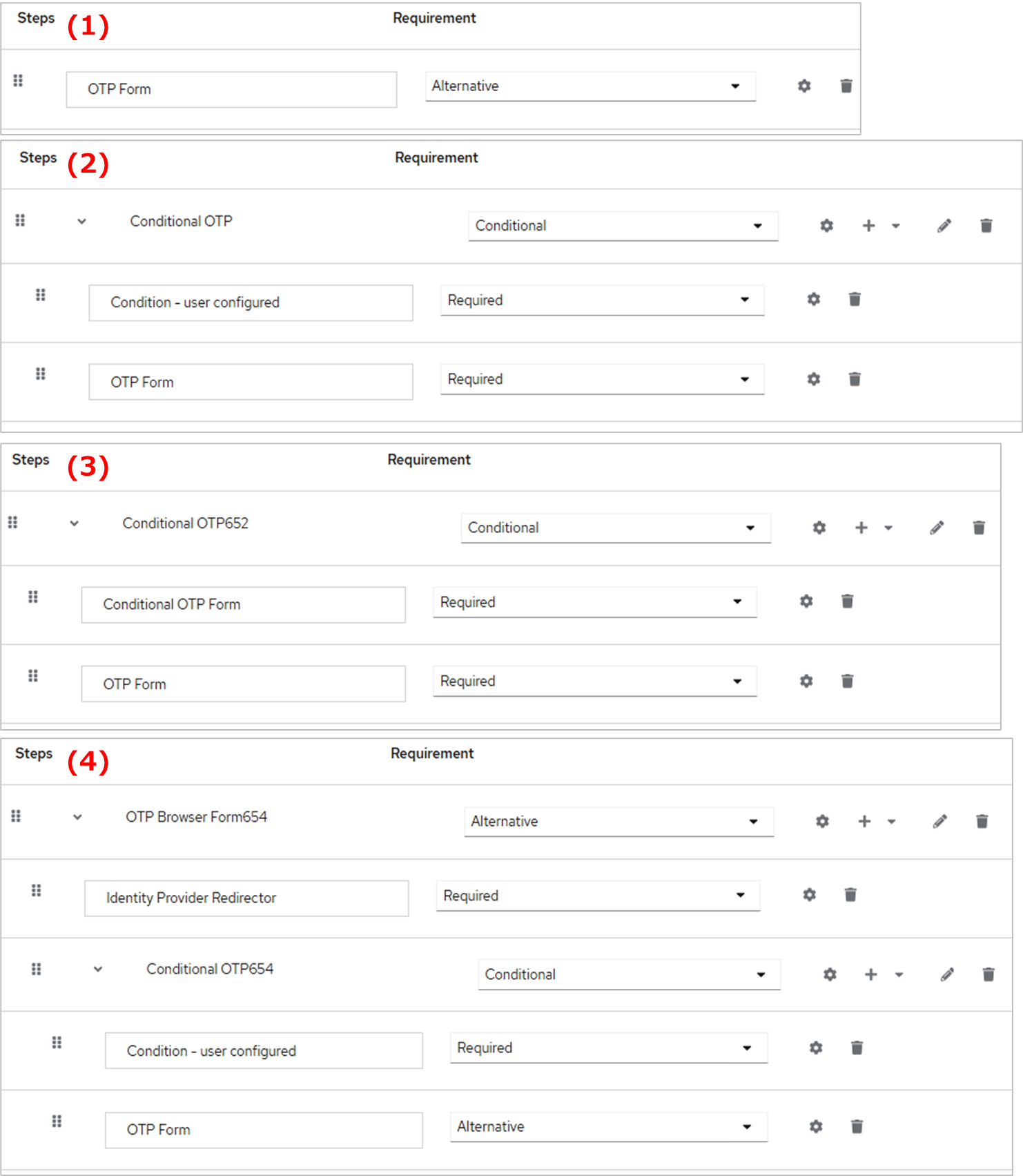
I tried some authentication flows at CUSTOM_FLOW to “Post login flow” like below, but all failed.
- First login flow override: first broker login
- Post login flow:
CUSTOM_FLOW
-
The IdP authentication is successful. Then, “Update Account Information” screen appears
-
Then, I tried some flows like the below but everything failed:
-
Content of tried
CUSTOM_FLOW: -
Result:
- (1)
We are sorry…
Unexpected error when handling authentication request to identity provider.
Cannot login, credential setup required. - (2) (3) (4) (same result)
We are sorry…
Invalid username or password.
- (1)
-
-
The process failed like the above, but the new user linked with IdP is created at the “Users” screen
Please tell me how to set the authentication flow to achieve the above.
Thanks in advance.