Hello. I’m trying to run keycloak on a virtual machine on Google Cloud on Ubunto 18 LTS.
Since this is a server, I don’t have access to local host to create the ADMIN user normally.
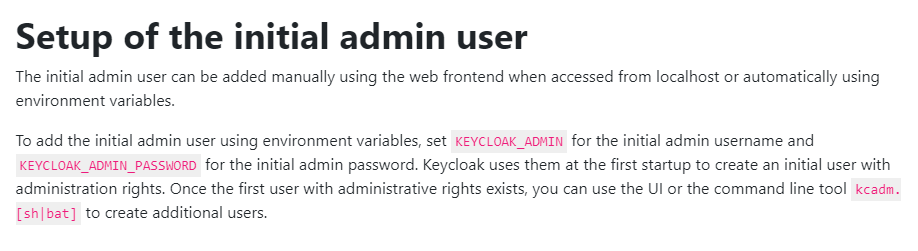
The export environment method displayed on Server Administration Guide does not works.
My installation was the following:
cd /opt
sudo wget https://github.com/keycloak/keycloak/releases/download/17.0.0/keycloak-17.0.0.tar.gz
sudo tar -xvzf keycloak-17.0.0.tar.gz
sudo mv keycloak-17.0.0 /opt/keycloak
export KEYCLOAK_ADMIN=admin
export KEYCLOAK_ADMIN_PASSWORD=apassword
printenv
sudo ./kc.sh start-dev
But as seen in the image he is still complaining about not having an admin user.

Notice that the image still tells us to use the old script, which isn’t present in this version.
I managed to enable HTTPS, so that I could access the login page, but when I use the user and password to login, the console prints information that the user does not exist.
2022-03-21 17:04:39,775 WARN [org.keycloak.events] (executor-thread-16) type=LOGIN_ERROR, realmId=master, clientId=security-admin-console, userId=null, ipAddress=x, error=user_not_found, auth_method=openid-connect, auth_type=code, redirect_uri=https://x.org:8443/admin/master/console/, code_id=b295026f-aeac-4853-9833-2463e54bfb11, username=admin, authSessionParentId=b295026f-aeac-4853-9833-2463e54bfb11, authSessionTabId=OWa4xW0BVuQ
Is there any way to create the user in another way?
I recall the older versions had a script that no longer exists.